Quest · Vault
Vault — the file store your work actually lives next to
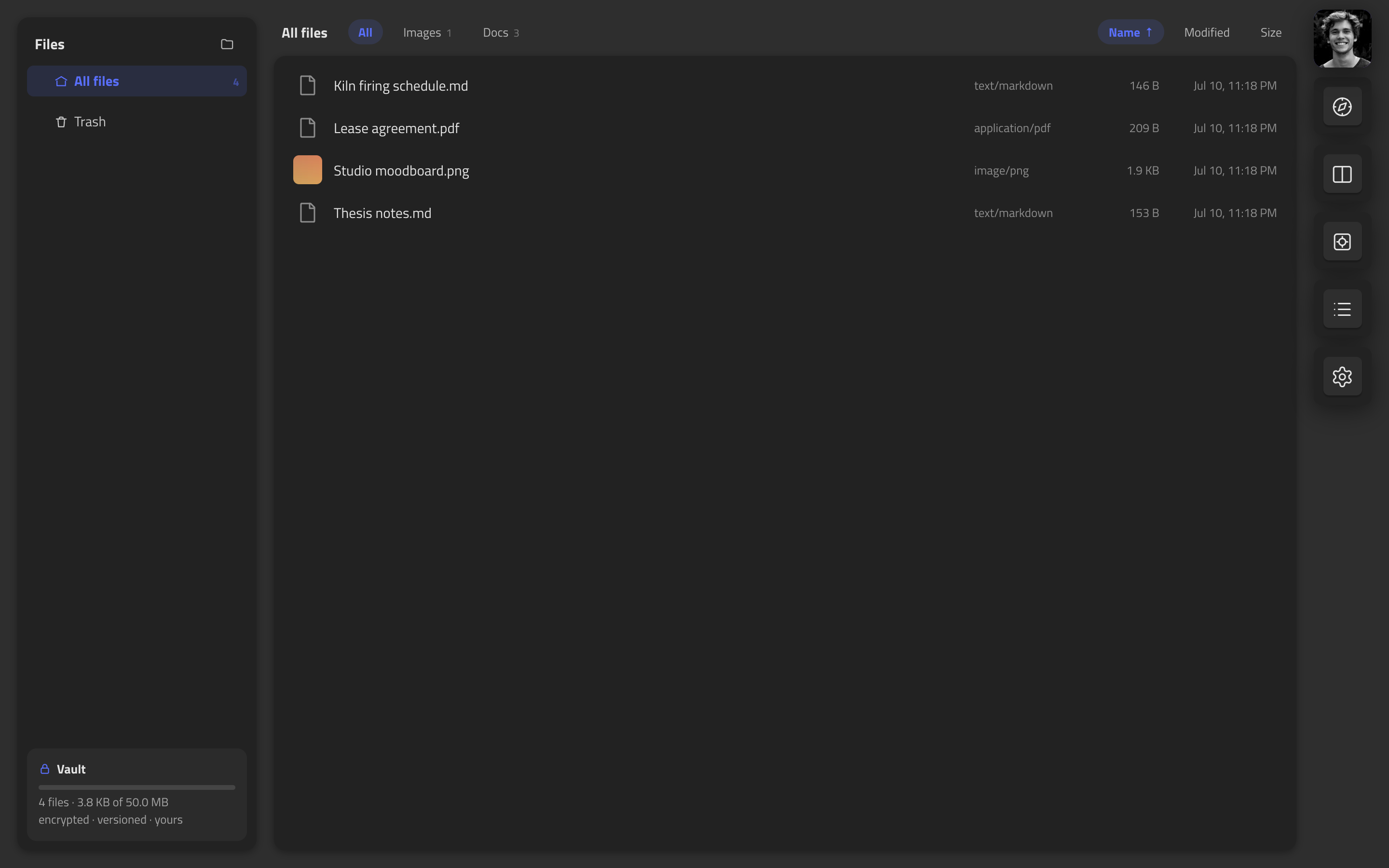
Every file host stores your stuff. This one stores it next to the work it belongs to — attached to kanban cards, dropped on canvases as live document cards, versioned forever, encrypted per object.
Feels like: Dropbox, if it lived inside your project tools instead of beside them.
How it compares
| Quest | Dropbox | Google Drive | iCloud Drive | Nextcloud | Proton Drive | |
|---|---|---|---|---|---|---|
| Lives inside a task suite | ✓ | — | Google apps | Apple apps | Own apps | — |
| Files attach to boards & tasks | ✓ | — | — | — | Deck app | — |
| Desktop folder sync | ✓ | ✓ | ✓ | ✓ | ✓ | ✓ |
| Delta sync (edits upload only diffs) | ✓ | ✓ | — | — | Chunked | — |
| Version history & restore | ✓ | 30–180 days | 30 days | Limited | ✓ | Paid |
| Conflicts kept visibly, never clobbered | ✓ | ✓ | Versions | — | ✓ | Versions |
| Zero-knowledge encryption | Roadmap | — | — | Opt-in | Opt-in folders | ✓ |
| Price at ~100 GB | $8/mo — whole suite included | $12/mo (2 TB min) | $2/mo | $3/mo (200 GB) | Your server | $5/mo (200 GB) |
Competitor capabilities and prices as publicly documented, July 2026 — check theirs for current details.
vs Dropbox / Google Drive
They’re superb file lockers — and complete strangers to your actual work. Quest files live in the same graph as your boards and canvases: attach a file to a kanban card and it’s right there on the task, drop a PDF on a canvas and it renders as a live document card, drag images straight from the web, jump from any file back to where it’s used. Underneath: a fresh encryption key per object (not one bulk key over a blob store), every read re-verified against its content hash, and photo location metadata scrubbed on the way in. And the pricing runs the other way — you’re not buying storage with an app bolted on; every app is free, storage is the only thing on the meter.
vs Proton Drive / Nextcloud
The privacy crowd, and we respect both. Proton has zero-knowledge encryption today; we don’t yet — ours is server-side envelopes with a ZK tier on the roadmap, and we’d rather tell you that plainly than blur it. What we offer meanwhile: integrity-verified reads, EXIF scrubbing, visible conflict forks instead of silent clobbers, and files that live inside a task suite. Nextcloud is the self-host path — bring a server and the time to run it; Quest is for people who’d rather not.
What you get
An envelope per object
Every file is sealed with its own fresh key, wrapped by a master key. Reads are re-verified against content hashes — silent corruption gets detected, not served.
Versions you can time-travel
Versions are immutable and restoring is a pointer flip. Preview any moment of a file’s history and bring it back in one click.
A real folder on your Mac
Quest Vault, the desktop app, keeps ~/Quest converged with your vault — offline-first, delta-synced, conflicts forked visibly. Pair it with a short code, revoke it from any browser.
Attached to the work
Attach files to kanban cards — thumbnail chips on the task, a paperclip on the board. Drop a PDF on a canvas and get a live first-page card. One vault, every surface — nothing emailed to yourself.
Pandora
The vault's desktop engine — a tiny menu-bar app that keeps a folder on your Mac converged with your encrypted vault.
Save a file into ~/Quest like any folder — it appears here.
Drop something into Quest from any device — it lands on your disk.
Offline isn't a mode: edit, rename and reorganize with no connection at
all, and Pandora reconciles when you're back, uploading only the pieces
that changed. Concurrent edits are kept side by side as visible
name.conflict-device siblings — nothing clobbered, ever.
- Open the app — it shows a short code like
4N6X-FYUA. - Approve it — Quest → your avatar → Connect a computer. The app never sees your password, and you can revoke the computer from any browser.
- Pick a folder —
~/Questby default. Done; it lives in your menu bar.
For the engineers: content-addressed storage (sha-256 refs), FastCDC delta sync — an edited gigabyte re-uploads kilobytes — and server-side conflict forks so every device converges on the same tree by construction. ~5 MB of app around it.
Works with Kanban and Canvas — everything links into one graph.